A desktop control room for your OpenChamber agents
Ember is a desktop GUI for OpenChamber. It brings sessions from your connected instances into one window, grouped by project, so you can follow several agents without constantly switching clients.
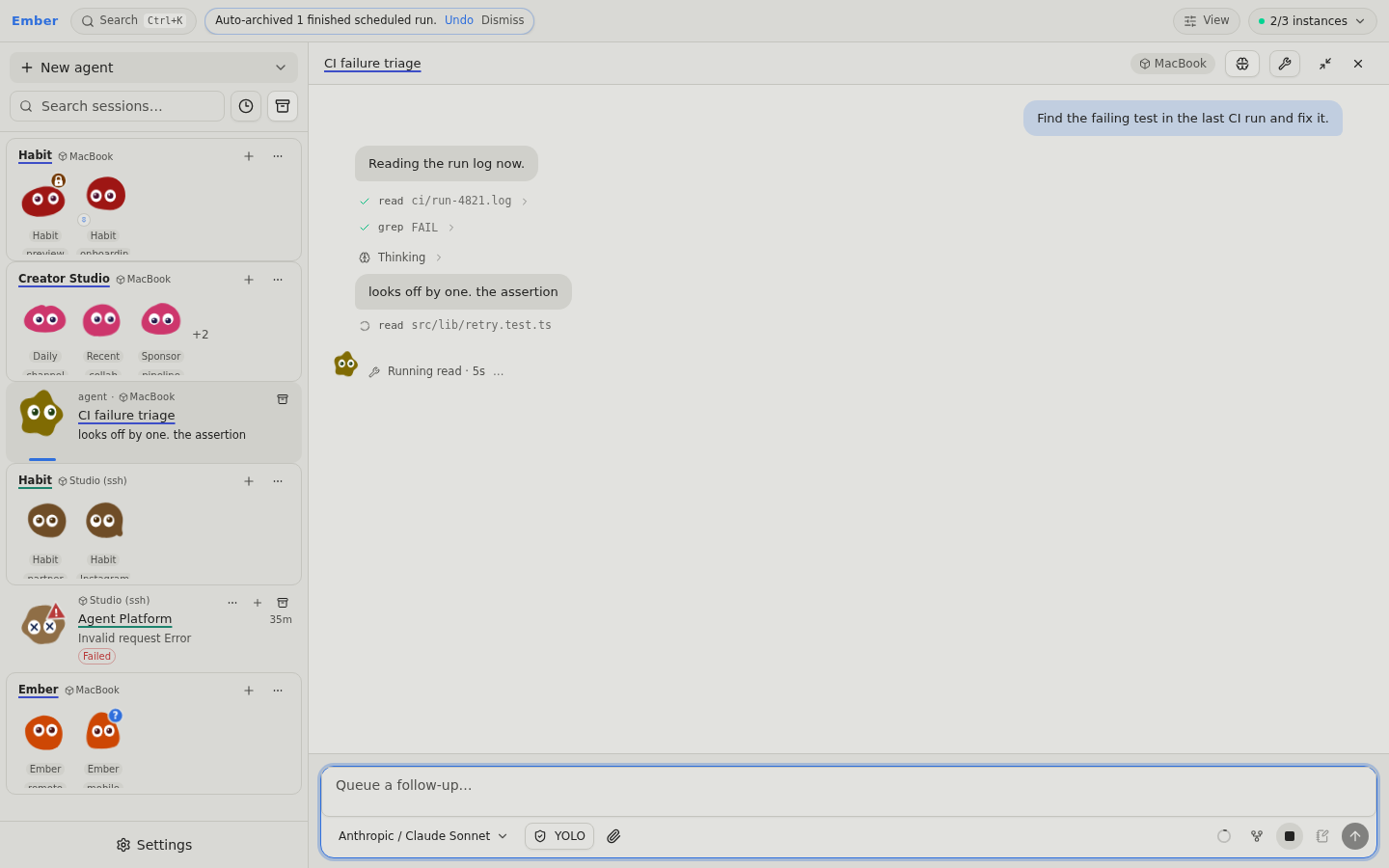
A calm control room
Ember is not an agent harness: OpenChamber owns execution, queues, permissions, and session history. Ember makes that work easier to see and interact with.
What it does
- One workspace, multiple instances. Browse recent sessions across local, remote, and reachable SSH-backed instances.
- Project-focused columns and tabs. Up to eight sessions can be open, with columns adapting to the available width and overflow becoming tabs.
- Visible agent state. Buddy and Glyph avatars distinguish working, thinking, waiting for input, failed, and unread sessions.
- Reliable composing. Per-session drafts, attachments, reply context, server-owned follow-up queues, and project notes.
- Long conversations without the clutter. Virtualized transcripts, inline search, pinned messages, expandable tool output, and configurable reasoning display.
- Personal model experience. The model picker shows observed usage statistics and your Helpful / Not helpful ratings — not an automatic leaderboard or model router.
- Optional browser access over Tailscale. Use the same app remotely while Ember runs on your desktop.
The stack is Electron, React, TypeScript, Vite, Tailwind CSS, and Radix UI. Ember is MIT-licensed with a revenue-based commercial-use rider, and the source is at github.com/noemit/Ember.